
Have A Good Day!
The Ultimate Guide To Starbucks Giftcard Security Code
Confused about the Starbucks Security Code? Get step-by-step help to locate it, use it in the App, and fix issues if the code is rubbed off or missing.
— Complete Guide

That tiny strip of silver on the back of your Starbucks card? It holds more power than it looks.
It decides whether your card links to the app, whether you can check your balance online, and whether your funds are fully accessible. Without it, you can’t register the card, reload it digitally, transfer the balance, or protect it in case it’s lost. That small security code is what verifies ownership and unlocks all the convenient features.
Yet many cardholders don’t realize how important this code is until the app refuses to accept their card. A missing digit, a faded panel, or confusion about where to find it can instantly turn a simple process into an unnecessary hassle. Everyone should know how this small detail works because it not only prevents delays but also protects your balance from errors or misuse.
Before you keep guessing or refreshing the app, here’s exactly what you need to know. Where the security code is located, what it’s used for, why it sometimes seems “missing”, and what to do if it’s scratched off.
Let’s clear up the confusion once and for all!
What is the Starbucks Security Code?
The Starbucks security code is an 8-digit number printed on physical Starbucks gift cards and reloadable Starbucks cards, too. It may look very small and insignificant, but it plays a crucial role in keeping your card and balance secure. While knowing the Starbucks Giftcard security code, here is how you can check the Starbucks Giftcard balance in 4 simple ways.
This code acts as:
It is important to note that the security code is different from the 16-digit card number on the front of the card.
You will usually need the Starbucks security code when:
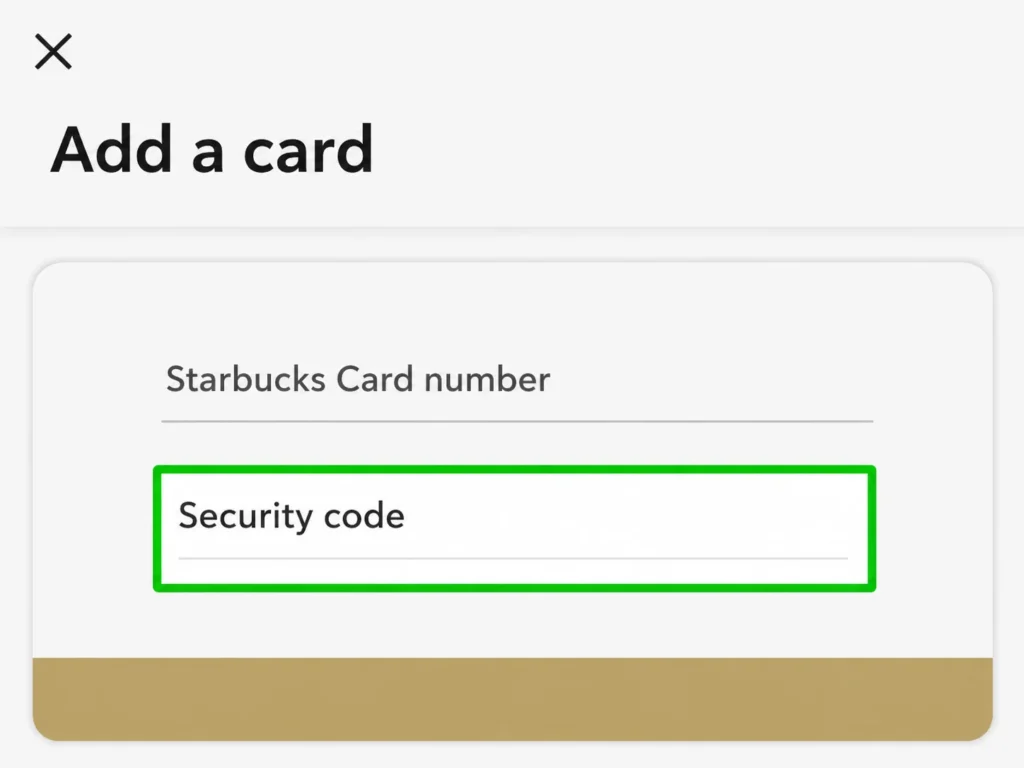
By understanding its purpose, you can avoid common errors and make full use of your Starbucks card safely, and you can read this guide if you want to redeem your Starbucks Giftcard balance.
Starbucks Security Code Example
A Starbucks security code may look simple, but it’s an essential part of your gift card. Typically, it’s an 8-digit number printed under a scratched-off panel on physical cards, or displayed in your eGift email. This number ensures that only the card owner can register the card in the app or check the balance online.
Here’s an easy description of its features:
|
Feature |
Description |
|---|---|
|
Length |
Usually 8 digits |
|
Format |
Numbers only |
|
Location |
Under that scratch-off panel on physical cards or in eGift emails |
|
Purpose |
Verifies ownership and prevents unauthorized use |
|
Required for |
Adding cards in the Starbucks app, checking or transferring balances |
So, if you’re wondering what a Starbucks security code looks like and how it works, this table gives you the complete picture at a glance.
Where is the Security Code on a Starbucks Gift Card?
A small 8-digit number plays a big role in securing your card, and you need this Starbucks gift card security code when you register your card in the Starbucks app, when you check your balance online, or transfer your funds.
How To Locate It?
The only tip is that you need to scratch lightly, never use harsh scraping, because it can damage the code or make it unreadable. Avoid using keys or any sharp objects.
Once you reveal this code, you can enter it in the app or online, and you will get full access to your card balance safely and quickly. For any kind of help, you can contact Starbucks support. Here are the contacts of Starbucks support.
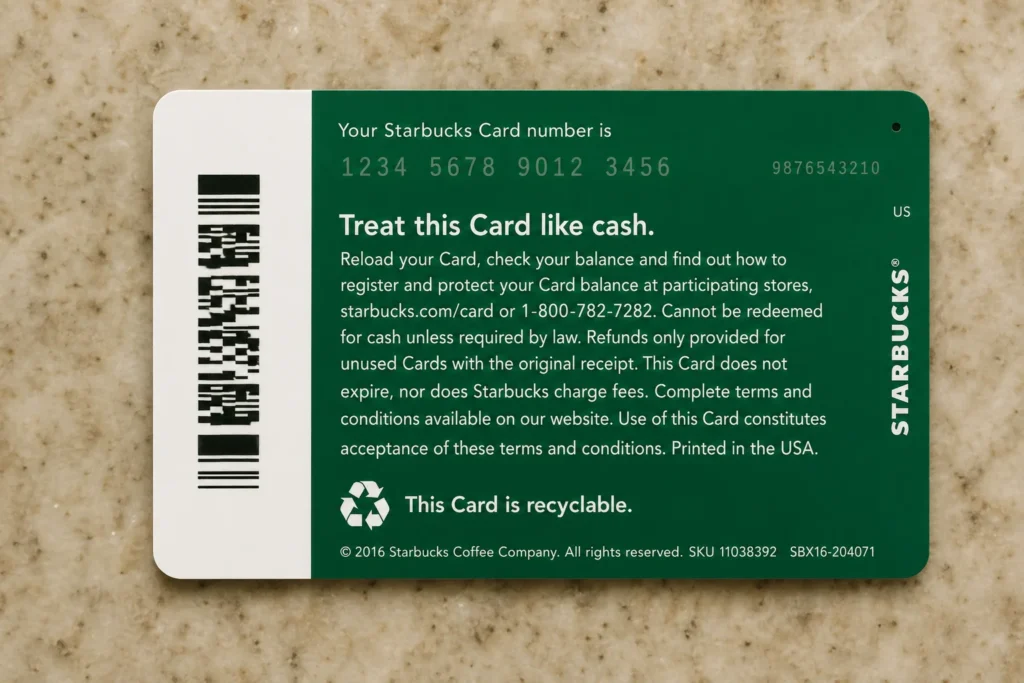
Where is the Security Code on a Reloadable Starbucks Card?
If you own a reloadable Starbucks card, unlike a one-time gift card, locating a security code on it is just as simple.
For physical reloadable cards:
This Starbucks card security code works the same as a gift card code, and it is required when you add a new card to your Starbucks account or check your balance online
The key differentiator is that you can get your business branding on the cards, place bulk orders, get a discount for a specified volume of orders you touch, and you get to send hundreds of eGift cards at once to your employees. Here is the complete guide to Starbucks Giftcard Rewards 2026.
Tip: If your reloadable card is already registered in the Starbucks app, you usually won’t need to re-enter it for future transactions.
How to Add a Starbucks Gift Card Using a Security Code on the App (Step-by-Step Guide)
Adding a Starbucks gift card to the app is one of the most common steps where users get stuck, especially when asked for the security code. Here’s a detailed, step-by-step guide to make it easy for you:
Inside The App
Why Do You Need The Starbucks Gift Card Security Code?
The Starbucks gift card security code exists primarily for security and verification. It ensures that only the rightful owner of the card can access its balance, register it in the app, or use it online. This code helps:
Without the Starbucks security code, you may face limitations such as:
In short, the security code is a small number with a big role. It protects your Starbucks card and ensures smooth, safe transactions every time.
What to Do If There’s No Security Code on a Starbucks Gift Card?
Some users encounter situations like:
Here’s what could be happening:
|
Situation |
Explanation |
|---|---|
|
Already scratched |
The previous owner or store personnel scratched it |
|
Damaged panel |
Scratch-off layer removed or worn out |
|
Tampered packaging |
Possible fraud or mishandling |
|
Digital card |
Code is provided via email instead of the physical card |
So, what should you do:
Following these steps ensures the safe recovery of your balance, and you can continue using your Starbucks card without any frustration.
Starbucks Gift Card Security Code Scratched Off or Damaged? Here’s How to Fix It
Sometimes the Starbucks gift card security code can get rubbed off, scratched, or damaged, which makes it impossible to register the card in the app or check the balance. So, if you ever face a situation like this, don’t panic; you can often recover the card balance.
Step-by-Step Fix:
If everything checks out, Starbucks can usually transfer the balance to a new card, so you don’t lose your funds.
Where is the Starbucks Security Code for eGift Cards?
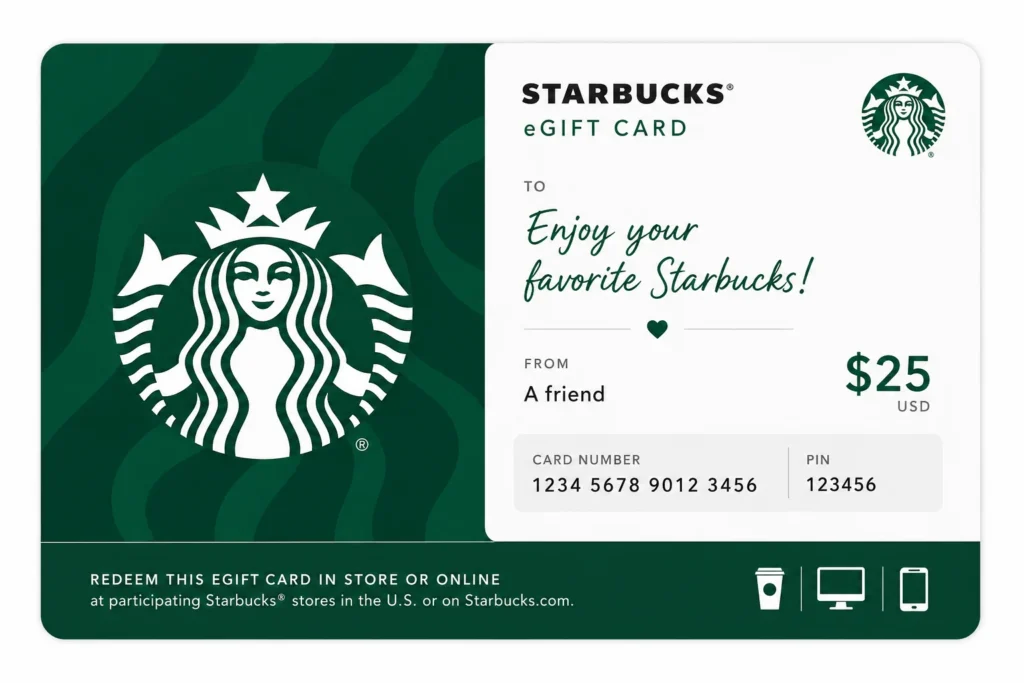
If you purchased a digital Starbucks gift card (eGift card), the security code is not hidden under a scratch panel like physical cards. Instead, it is delivered electronically.
To find it, open the confirmation email sent after your purchase, scroll below the gift card image, where you will see both the 16-digit card number and the Starbucks gift card security code clearly listed. These details are required if you want to add the card to the Starbucks app, check your balance, or transfer funds.
Since it is digital, no scratching is needed, so simply copy the numbers carefully and enter them exactly as shown.
Errors to Avoid when Entering a Starbucks Gift Card Security Code
Entering the Starbucks gift card security code incorrectly is one of the most common reasons cards fail to add in the app. Here are some key mistakes to avoid:
